


Tooltip
Tooltip
Importimport { Tooltip } from 'antd'; |

button/text/operation. It's often used instead of the HTML title attribute.Common props ref:Common props
| Property | Description | Type | Default | Version | Global Config |
|---|---|---|---|---|---|
| title | The text shown in the tooltip | ReactNode | () => ReactNode | - | - | × |
| color | The background color. After using this attribute, the internal text color will adapt automatically | string | - | 5.27.0 | × |
| classNames | Semantic DOM class | Record<SemanticDOM, string> | (info: { props }) => Record<SemanticDOM, string> | - | 5.23.0 | 5.23.0 |
| styles | Semantic DOM style | Record<SemanticDOM, CSSProperties> | (info: { props }) => Record<SemanticDOM, CSSProperties> | - | 5.23.0 | 5.23.0 |
| Property | Description | Type | Default | Version | Global Config |
|---|---|---|---|---|---|
| align | Please refer to the settings dom-align | object | - | × | |
| arrow | Change arrow's visible state and change whether the arrow is pointed at the center of target. | boolean | { pointAtCenter: boolean } | true | 5.2.0 | Tooltip: 6.0.0, Popover: 6.0.0, Popconfirm: 6.0.0 |
| autoAdjustOverflow | Whether to adjust popup placement automatically when popup is off screen | boolean | true | × | |
| color | The background color | string | - | 4.3.0 | × |
| classNames | Customize class for each semantic structure inside the component. Supports object or function. | Record<SemanticDOM, string> | (info: { props })=> Record<SemanticDOM, string> | - | 5.23.0 | Tooltip: 5.23.0, Popover: 5.23.0, Popconfirm: 5.23.0 |
| defaultOpen | Whether the floating tooltip card is open by default | boolean | false | 4.23.0 | × |
| Whether destroy dom when close | boolean | false | × | ||
| destroyOnHidden | Whether destroy dom when close | boolean | false | 5.25.0 | × |
| fresh | Tooltip will cache content when it is closed by default. Setting this property will always keep updating | boolean | false | 5.10.0 | × |
| getPopupContainer | The DOM container of the tip, the default behavior is to create a div element in body | (triggerNode: HTMLElement) => HTMLElement | () => document.body | × | |
| mouseEnterDelay | Delay in seconds, before tooltip is shown on mouse enter | number | 0.1 | Tooltip: 6.6.0, Popover: 6.6.0, Popconfirm: 6.6.0 | |
| mouseLeaveDelay | Delay in seconds, before tooltip is hidden on mouse leave | number | 0.1 | Tooltip: 6.6.0, Popover: 6.6.0, Popconfirm: 6.6.0 | |
Class name of the tooltip card, please use classNames.root instead | string | - | × | ||
Style of the tooltip card, please use styles.root | React.CSSProperties | - | × | ||
Style of the tooltip inner content, please use styles.container instead | React.CSSProperties | - | × | ||
| placement | The position of the tooltip relative to the target, which can be one of top left right bottom topLeft topRight bottomLeft bottomRight leftTop leftBottom rightTop rightBottom | string | top | × | |
| styles | Customize inline style for each semantic structure inside the component. Supports object or function. | Record<SemanticDOM, CSSProperties> | (info: { props })=> Record<SemanticDOM, CSSProperties> | - | 5.23.0 | Tooltip: 5.23.0, Popover: 5.23.0, Popconfirm: 5.23.0 |
| trigger | Tooltip trigger mode. Could be multiple by passing an array | hover | focus | click | contextMenu | Array<string> | hover | Tooltip: 6.1.0, Popover: 6.1.0, Popconfirm: 6.1.0 | |
| open | Whether the floating tooltip card is open or not. Use visible under 4.23.0 (why?) | boolean | false | 4.23.0 | × |
| zIndex | Config z-index of Tooltip | number | - | × | |
| onOpenChange | Callback executed when visibility of the tooltip card is changed | (open: boolean) => void | - | 4.23.0 | × |
You can configure global unique display for Tooltip through ConfigProvider. When unique is set to true, only one Tooltip under the ConfigProvider will be displayed at the same time, providing better user experience and smooth transition effects.
Note: After configuration, properties like getContainer, arrow etc. will be ignored.
import { Button, ConfigProvider, Space, Tooltip } from 'antd';export default () => (<ConfigProvidertooltip={{unique: true,}}><Space><Tooltip title="First tooltip"><Button>Button 1</Button></Tooltip><Tooltip title="Second tooltip"><Button>Button 2</Button></Tooltip></Space></ConfigProvider>);
| Token Name | Description | Type | Default Value |
|---|---|---|---|
| maxWidth | Max width of tooltip | number | 250 |
| zIndexPopup | z-index of tooltip | number | 1070 |
| Token Name | Description | Type | Default Value |
|---|---|---|---|
| colorBgSpotlight | This color is used to draw the user's strong attention to the background color, and is currently only used in the background color of Tooltip. | string | rgba(0,0,0,0.85) |
| colorText | Default text color which comply with W3C standards, and this color is also the darkest neutral color. | string | rgba(0,0,0,0.88) |
| colorTextLightSolid | Control the highlight color of text with background color, such as the text in Primary Button components. | string | #fff |
| borderRadius | Border radius of base components | number | 6 |
| borderRadiusXS | XS size border radius, used in some small border radius components, such as Segmented, Arrow and other components with small border radius. | number | 2 |
| controlHeight | The height of the basic controls such as buttons and input boxes in Ant Design | number | 32 |
| fontFamily | The font family of Ant Design prioritizes the default interface font of the system, and provides a set of alternative font libraries that are suitable for screen display to maintain the readability and readability of the font under different platforms and browsers, reflecting the friendly, stable and professional characteristics. | string | -apple-system, BlinkMacSystemFont, 'Segoe UI', Roboto, 'Helvetica Neue', Arial, 'Noto Sans', sans-serif, 'Apple Color Emoji', 'Segoe UI Emoji', 'Segoe UI Symbol', 'Noto Color Emoji' |
| fontSize | The most widely used font size in the design system, from which the text gradient will be derived. | number | 14 |
| lineHeight | Line height of text. | number | 1.5714285714285714 |
| motionDurationFast | Motion speed, fast speed. Used for small element animation interaction. | string | 0.1s |
| motionDurationMid | Motion speed, medium speed. Used for medium element animation interaction. | string | 0.2s |
| motionDurationSlow | Motion speed, slow speed. Used for large element animation interaction. | string | 0.3s |
| motionEaseInOutCirc | Preset motion curve. | string | |
| motionEaseOutCirc | Preset motion curve. | string | |
| paddingSM | Control the small padding of the element. | number | 12 |
| paddingXS | Control the extra small padding of the element. | number | 8 |
| sizePopupArrow | The size of the component arrow | number | 16 |
Please ensure that the child elements of Tooltip can accept onMouseEnter, onMouseLeave, onPointerEnter, onPointerLeave, onFocus, onClick events.
Please refer to https://github.com/ant-design/ant-design/issues/15909
Tooltip will cache content when it is closed to avoid flicker when content is updated:
// `title` will not blink when `user` is empty<Tooltip open={user} title={user?.name} />

If need update content when close, you can set fresh property (#44830):
<Tooltip open={user} title={user?.name} fresh />
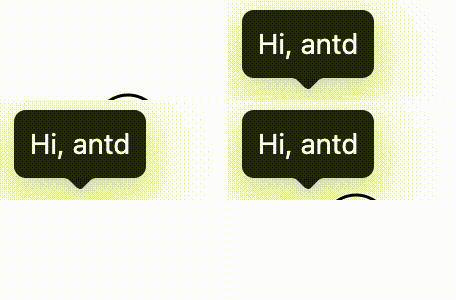
Tooltip does not continuously monitor all external layout changes by default, avoiding extra overhead for every open Tooltip. When async data loading, list refreshes, or expanding and collapsing regions changes the trigger element's position, get the TooltipRef through ref and call forceAlign after the layout update (see #57809). See the “Realign after layout changes” demo above for a complete example.
findDOMNode is deprecated sometimes appear in strict mode?This is due to the implementation of @rc-component/trigger. @rc-component/trigger forces children to accept ref, otherwise it will fall back to findDOMNode, so children need to be native html tags. If not, you need to use React.forwardRef transparently passes ref to native html tags.
findDOMNode is deprecated reproduce: https://codesandbox.io/p/sandbox/finddomnode-c5hy96forwardRef to fix: https://codesandbox.io/p/sandbox/no-finddomnode-warning-forked-gdxczsSimilar issues: #15909, #12812.
Please ensure that the child node to accept onMouseEnter, onMouseLeave, onPointerEnter, onPointerLeave, onFocus, and onClick events, If you create your own component and do not explicitly add these mouse and pointer events as props, the tooltip will never appear. See Example.
It will follow placement config when screen has enough space. And flip when space is not enough (Such as top to bottom or topLeft to bottomLeft). Single direction such as top bottom left right will auto shift on the view:
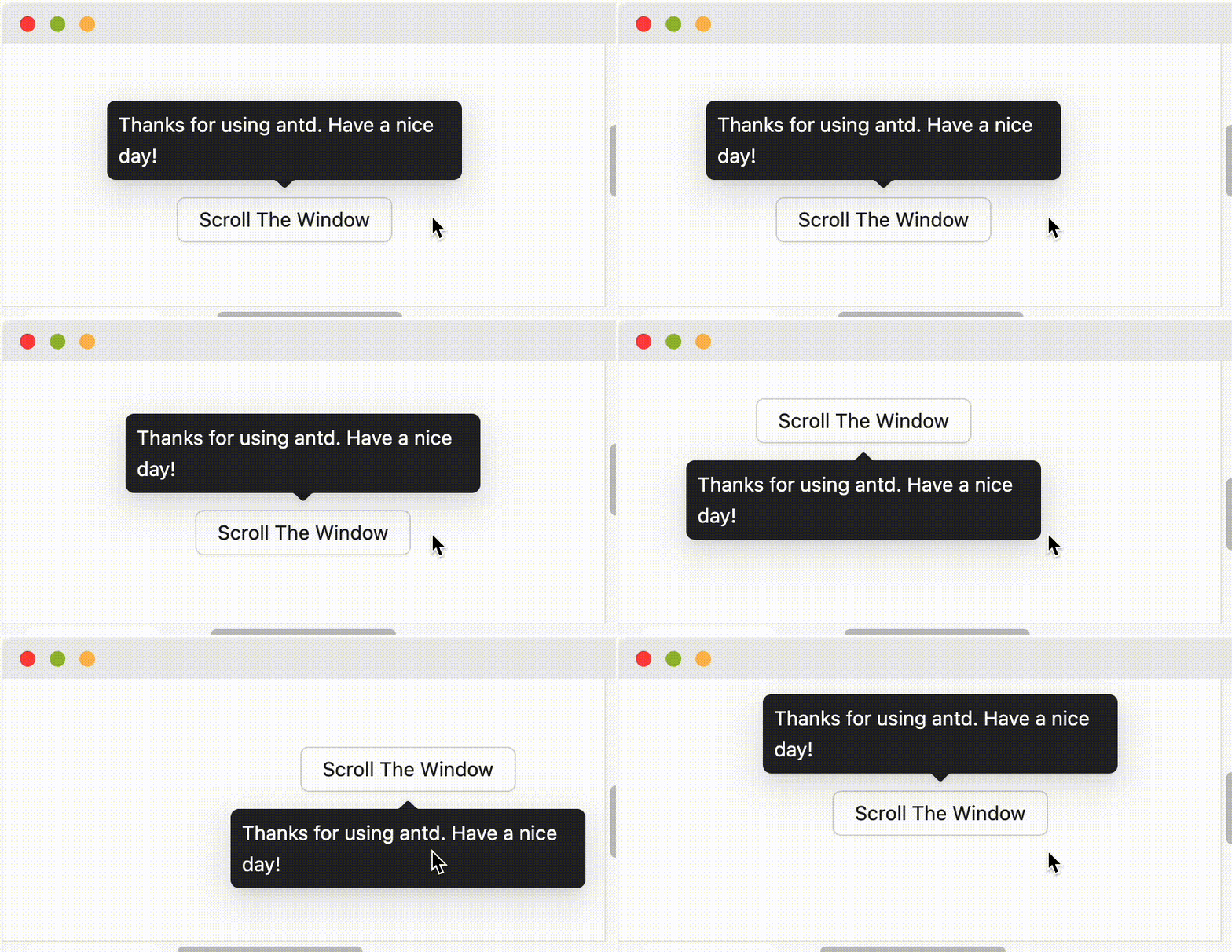
When placement is set to edge align such as topLeft bottomRight, it will only do flip but not do shift.
By default, Tooltip and similar components trigger on hover rather than focus, so they will not respond to keyboard focus events. If you want the component to support keyboard accessibility, you can enable it in the following ways:
trigger property to include focus, for example trigger="focus" or trigger={['hover', 'focus']}.ConfigProvider to set global configuration, so all relevant components across your application support keyboard focus trigger by default.import { ConfigProvider, Tooltip, Button } from 'antd';// Single component<Tooltip trigger={['hover', 'focus']} title="Title"><Button>Button</Button></Tooltip>// Global configuration<ConfigProvidertooltip={{ trigger: ['hover', 'focus'] }}popover={{ trigger: ['hover', 'focus'] }}popconfirm={{ trigger: ['hover', 'focus'] }}><App /></ConfigProvider>